
Snippet & note manager
Stop re-Googling what you already solved.
SnippedIt keeps the commands, code and notes you looked up once in a single searchable place — filed in your own folders, broken into steps, and copied out in one click.
Built for the things you keep forgetting
Four ideas do most of the work. Everything else in SnippedIt exists to keep these fast.
Search that finds it
Full-text across every snippet, note and code block. Type two words, hit enter, paste.
Steps, not walls of text
Split a procedure into numbered steps. Each step keeps its own note beside its own code.
Folders in your words
LINUX, API, HOW-TOS — your own vocabulary, with counts, favorites and bookmarks.
Private by default
Mark a snippet private and it stays out of the API and out of every shared link.
Recall
Search first. Browse only if you feel like it.
The search field sits in the header of every screen and looks inside snippet titles, notes and the code itself. Results carry their folder, so you know where the answer came from before you open it.
Structure
A snippet is more than a code block.
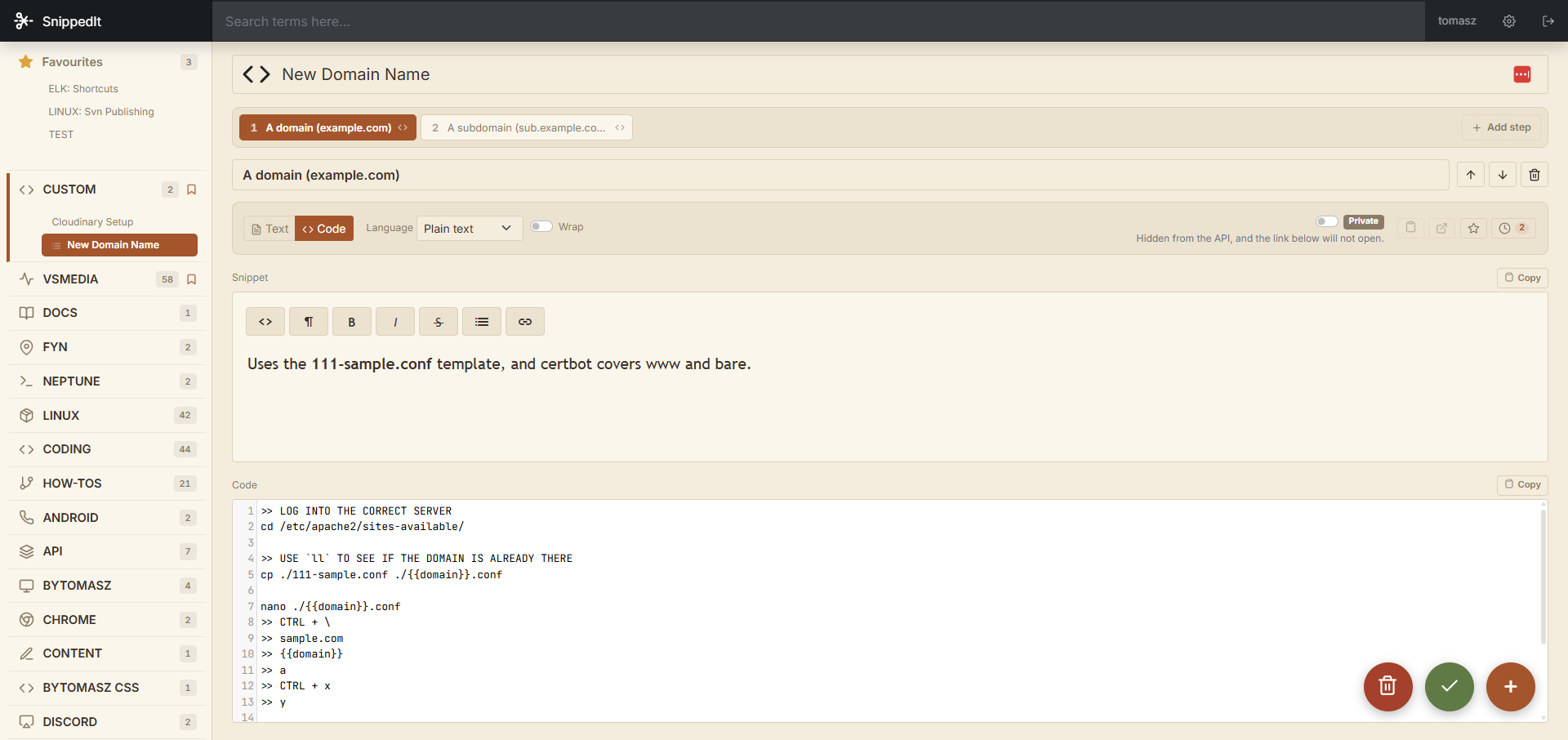
Most things worth saving take three commands and one caveat. SnippedIt gives every snippet numbered steps, a prose note per step, a language, and placeholders you fill in on the way out.
cd /etc/apache2/sites-available/
cp ./111-sample.conf ./$DOMAIN.conf
nano ./$DOMAIN.conf
certbot --apache -d $DOMAIN
Three habits, and you stop losing things
Capture it once
Paste the command that finally worked, add the one sentence explaining why. Thirty seconds, while it is still fresh.
File it your way
Drop it in a folder that means something to you. Star the ones you will need weekly; bookmark whole folders.
Recall in a keystroke
Six months later, two words in the search field beat twenty minutes of tabs and a Stack Overflow answer from 2016.
Pricing that fits one person or a whole team
No card for the free plan. Cancel Pro any time.
Free
Enough to replace the text file on your desktop.
$0
forever
- 100 snippets
- 5 folders
- Full-text search
- Web app
Pro
MOST PICKEDFor the person who lives in a terminal all day.
$5
per month
- Unlimited snippets and folders
- Private snippets
- Version history
- API access and CLI
Lifetime
Pay once. Everything in Pro, for good.
$99
one-time payment
- Everything in Pro
- No subscription, ever
- All future updates
- Priority support
Questions people actually ask
01Is SnippedIt only for code?
No. Every snippet has a prose side and a code side, and plenty of people use only the prose side — meeting notes, research quotes, reference links. The code editor is there when you need it.
02Can I get my data out?
Yes, as JSON or Markdown, at any time, on any plan. Pro adds a read API and a CLI if you would rather pull snippets straight into your shell.
03What does “private” actually mean?
A private snippet is hidden from the API and its share link will not open. It stays visible only inside your own account.
04Does it work offline?
Recently opened snippets are cached and readable offline in the browser. Editing syncs as soon as you are back.
05Can a team share one library?
On Team, folders can be shared with view or edit roles, and personal folders stay personal. Nothing is shared until you say so.
You already solved it once. Keep it.
Free plan, no card, and an import for whatever text file you have been using instead.